
Add a site
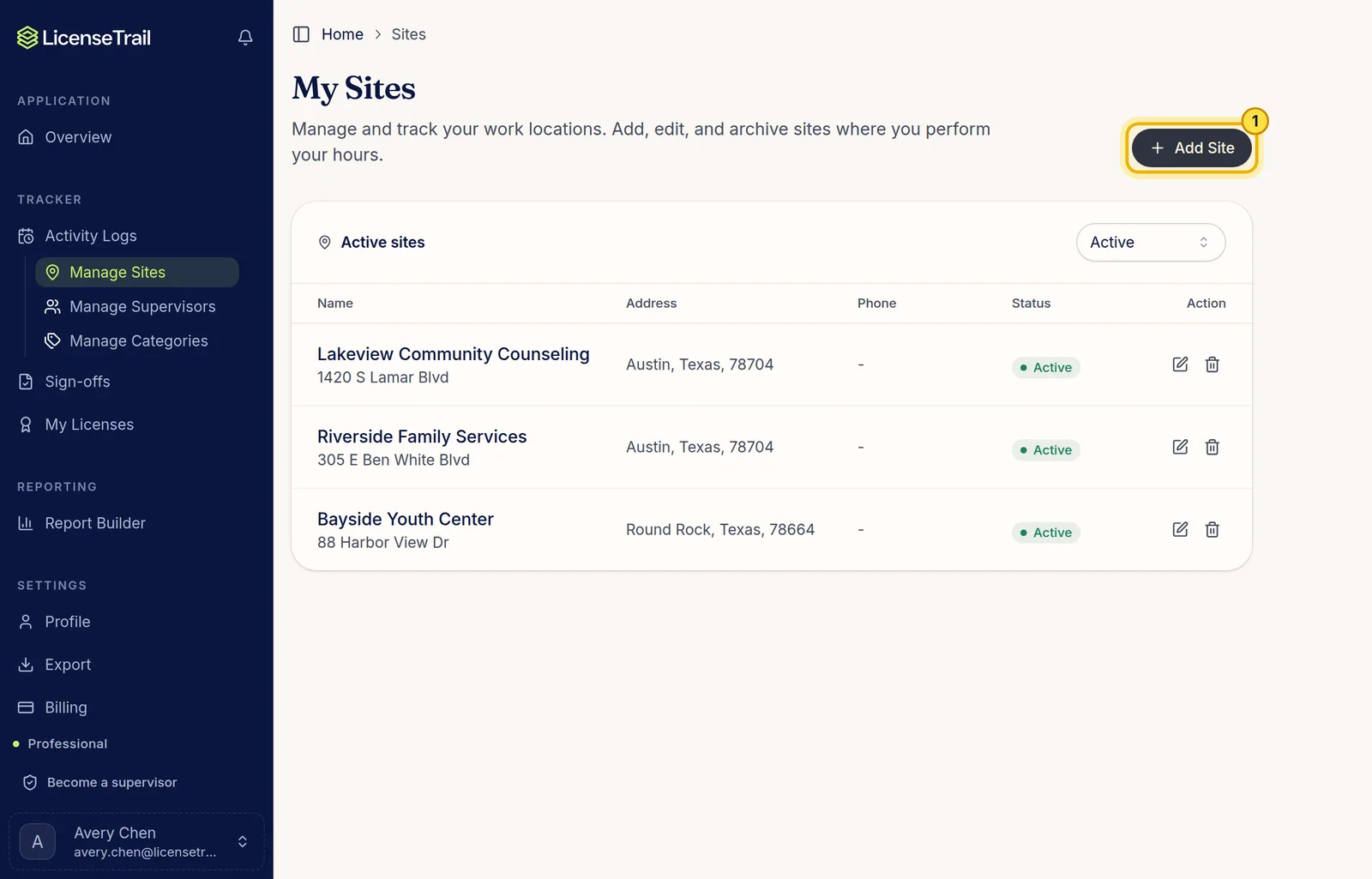
In the sidebar, click Manage Sites, then Add Site. Add each place you work so you can tag it on your logs. When you leave a site, archive it. Its logs stay as they are.
Add a supervisor
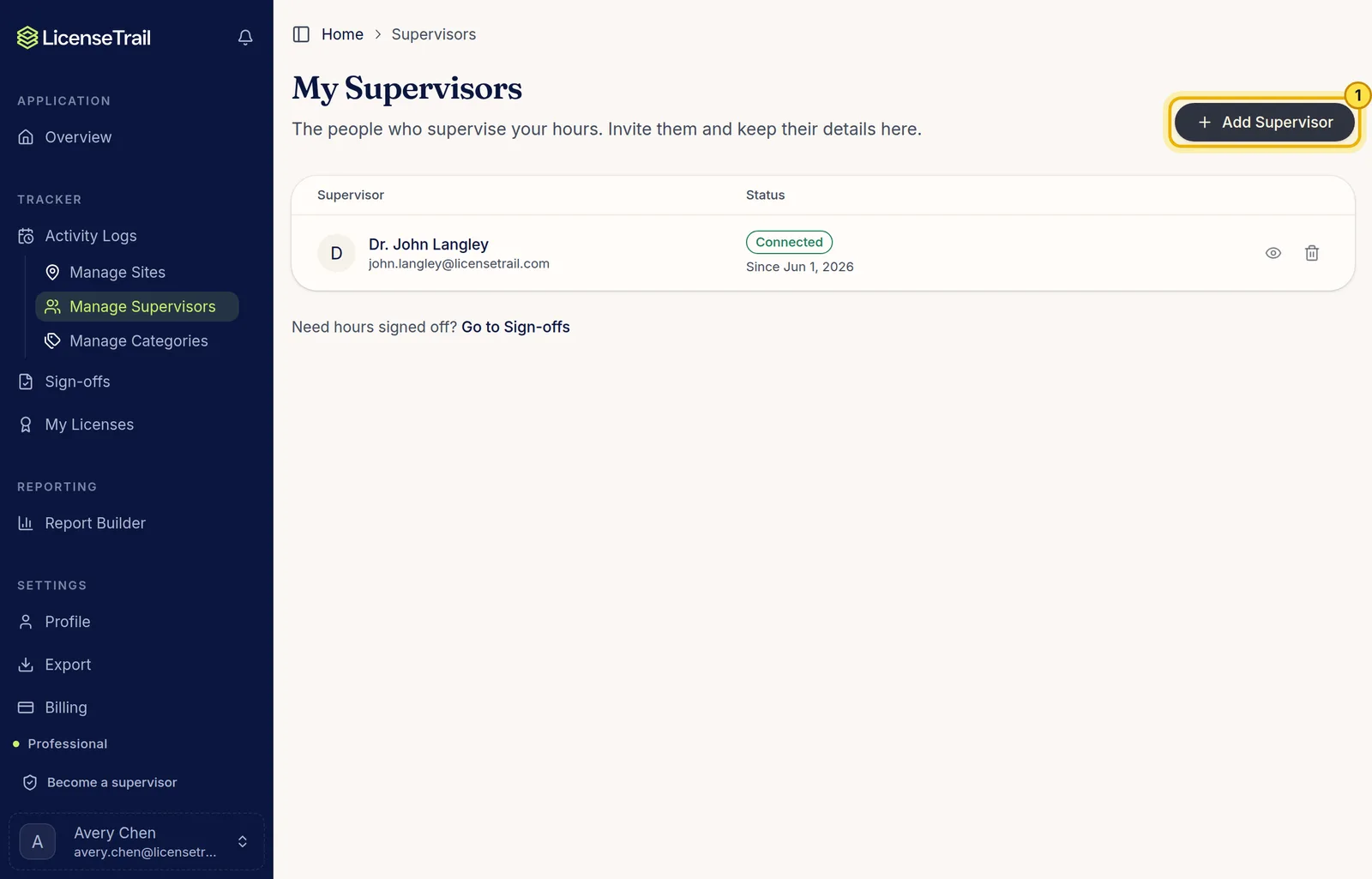
Click Manage Supervisors, then Add Supervisor, and enter their name and email. Leave Invite them to sign your hours online checked to email them an invite, or uncheck it to only tag them on your logs for now. Supervisors never pay.
What the statuses mean
- Connected: they accepted and can see the hours you tag to them.
- Invite sent: waiting for them to accept. Click Resend if they can't find the email.
- Not invited: you can still tag them on logs. Click Invite when you're ready.
- Wants to connect: a supervisor added you. Accept to share the hours you tag to them, or decline.
Good to know
- A supervisor never sees logs you tag to a different supervisor.
- Added someone with the wrong email? Click the pencil icon next to them to change it. Your logs move to the new email.
- Removing a supervisor ends the connection. Your logs keep their name.