
Add or update your license
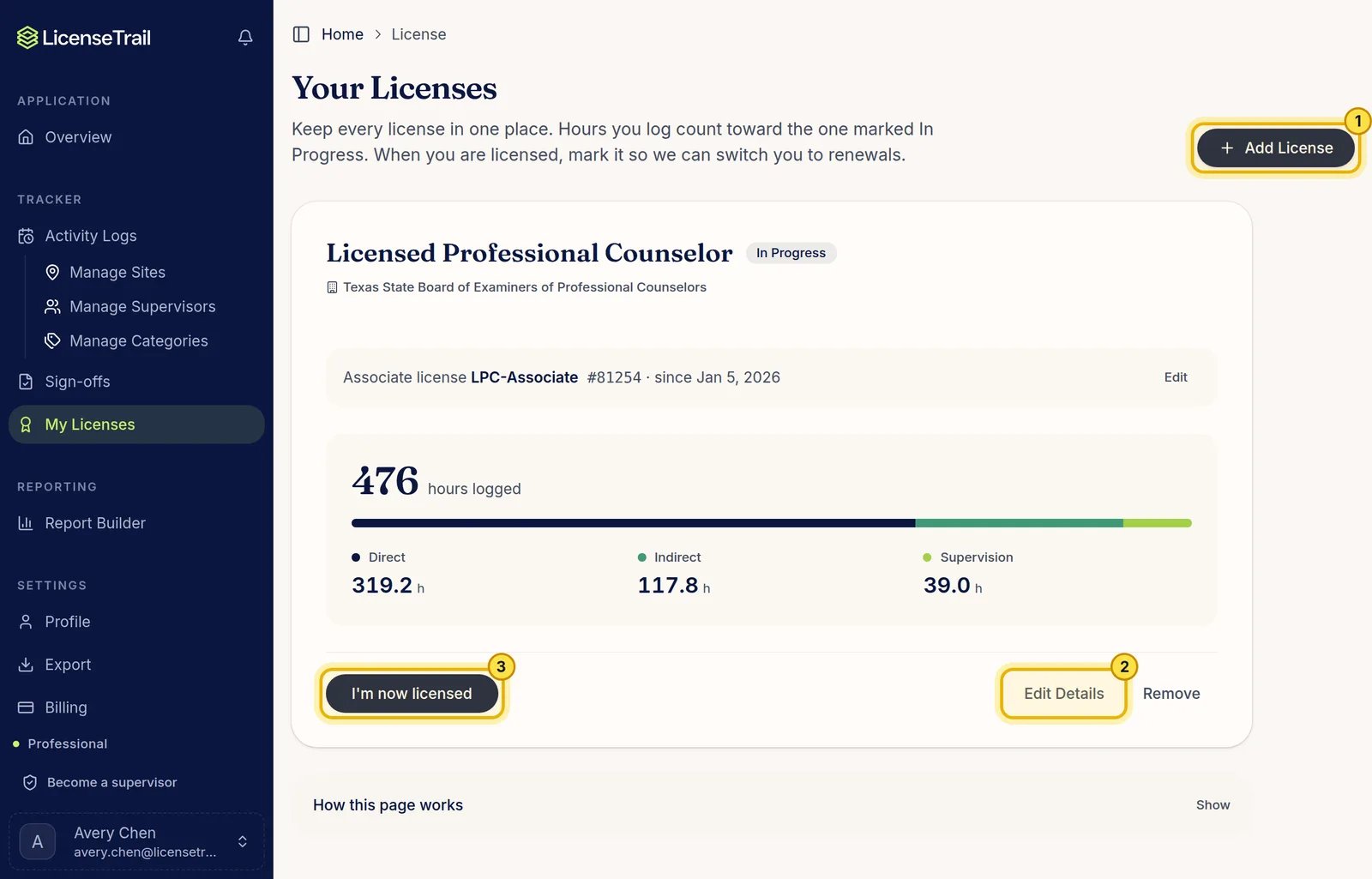
In the sidebar, click My Licenses.
- Add License adds a new license, like your full license after the associate one.
- Edit Details updates your associate license number, dates and tracking mode.
- I'm now licensed marks the license as earned once you pass. Earlier licenses stay on file.
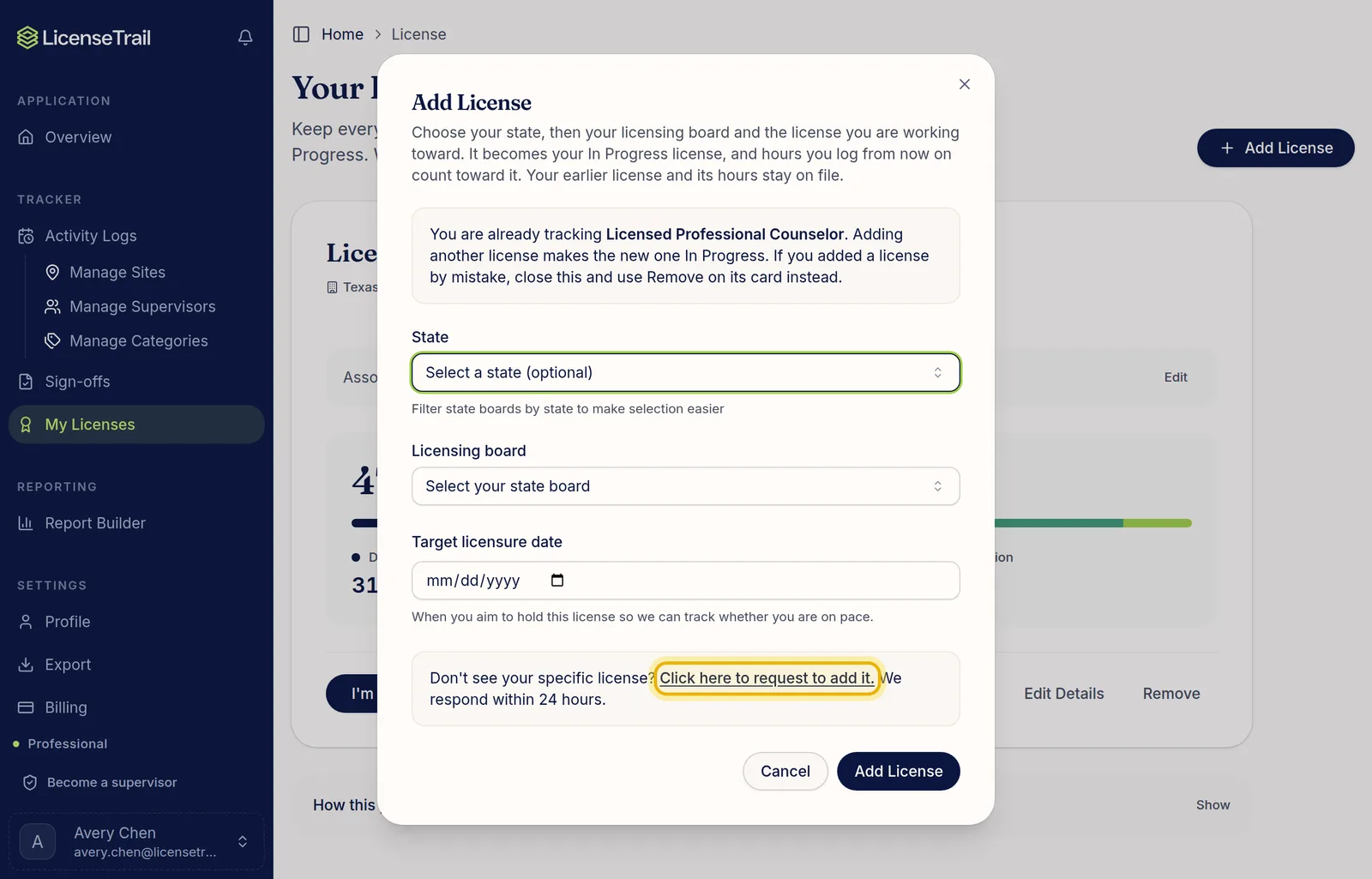
Can't find your license?
Click Add License, then the request link at the bottom of the window. Tell us your state and license, and we'll add it and email you.
Requirement checks
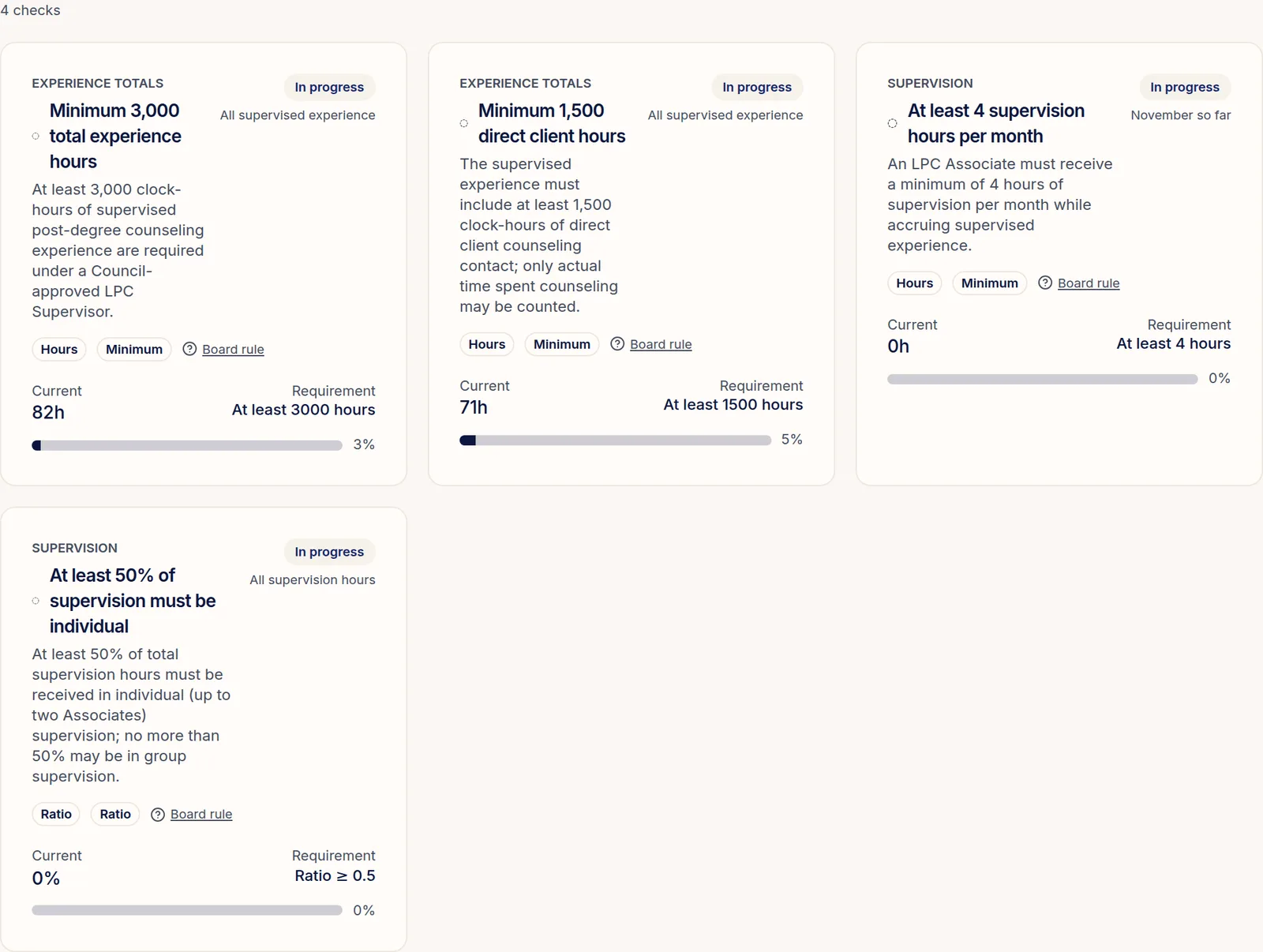
In Smart mode, your Overview shows each of your board's requirements next to your hours so far: total hours, direct client hours, supervision each month and so on. A requirement you're still working toward shows In progress. Click Board rule to read the rule itself.
Good to know
- Hours you log count toward the license marked In Progress.
- Monthly and weekly requirements show the current period, like "November so far".
- Some boards don't count supervision hours toward your total. The checks follow your board's rule, so your progress can be a little lower than your total hours.