
Your supervisor needs to be connected first. If they aren't yet, add and invite them.
1. Request a sign-off
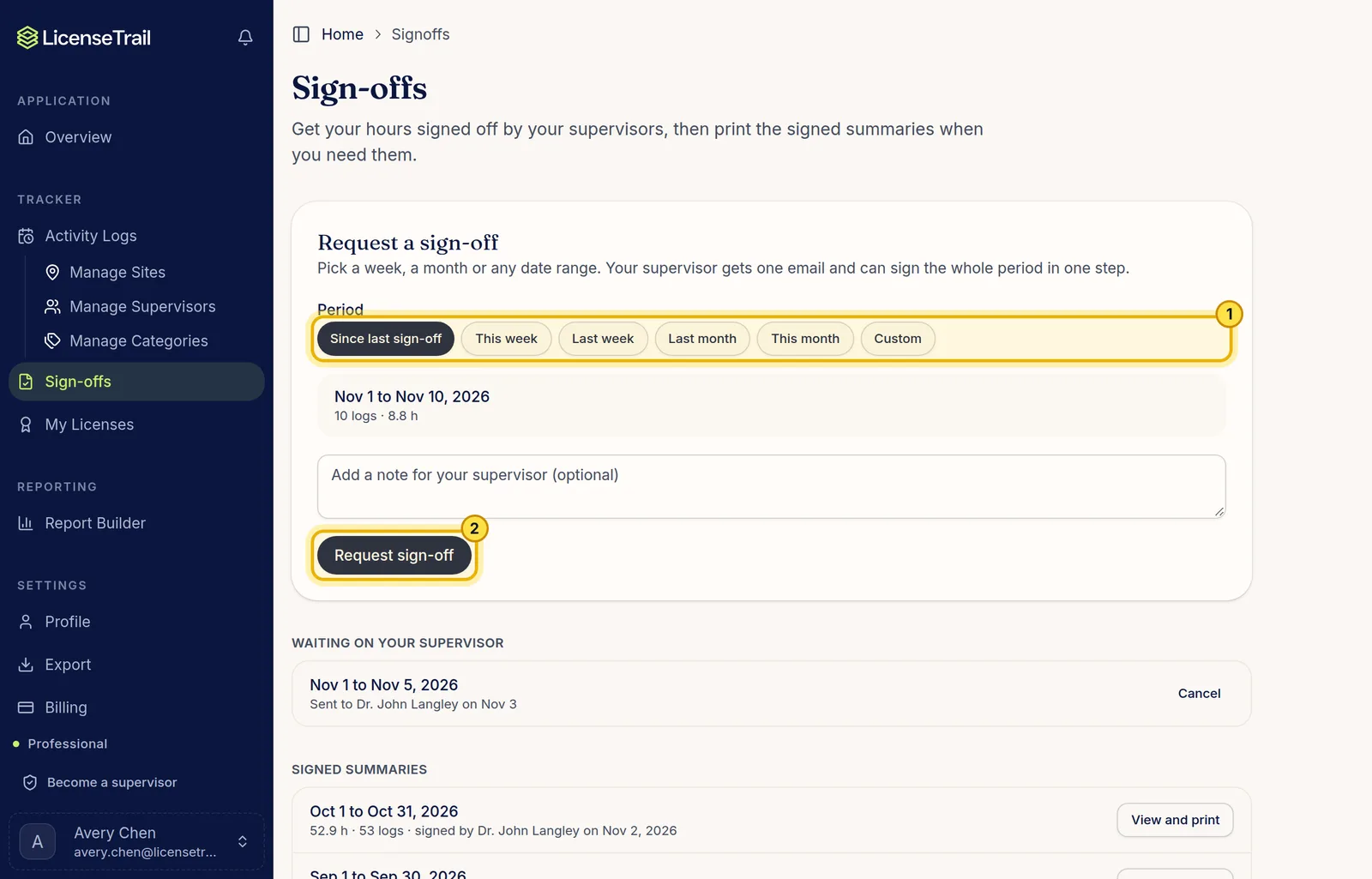
In the sidebar, click Sign-offs. Pick a period, like Since last sign-off, Last month or a custom range. Add a note if you like, then click Request sign-off. Your supervisor gets one email and can sign the whole period in one step.
2. Keep a signed copy
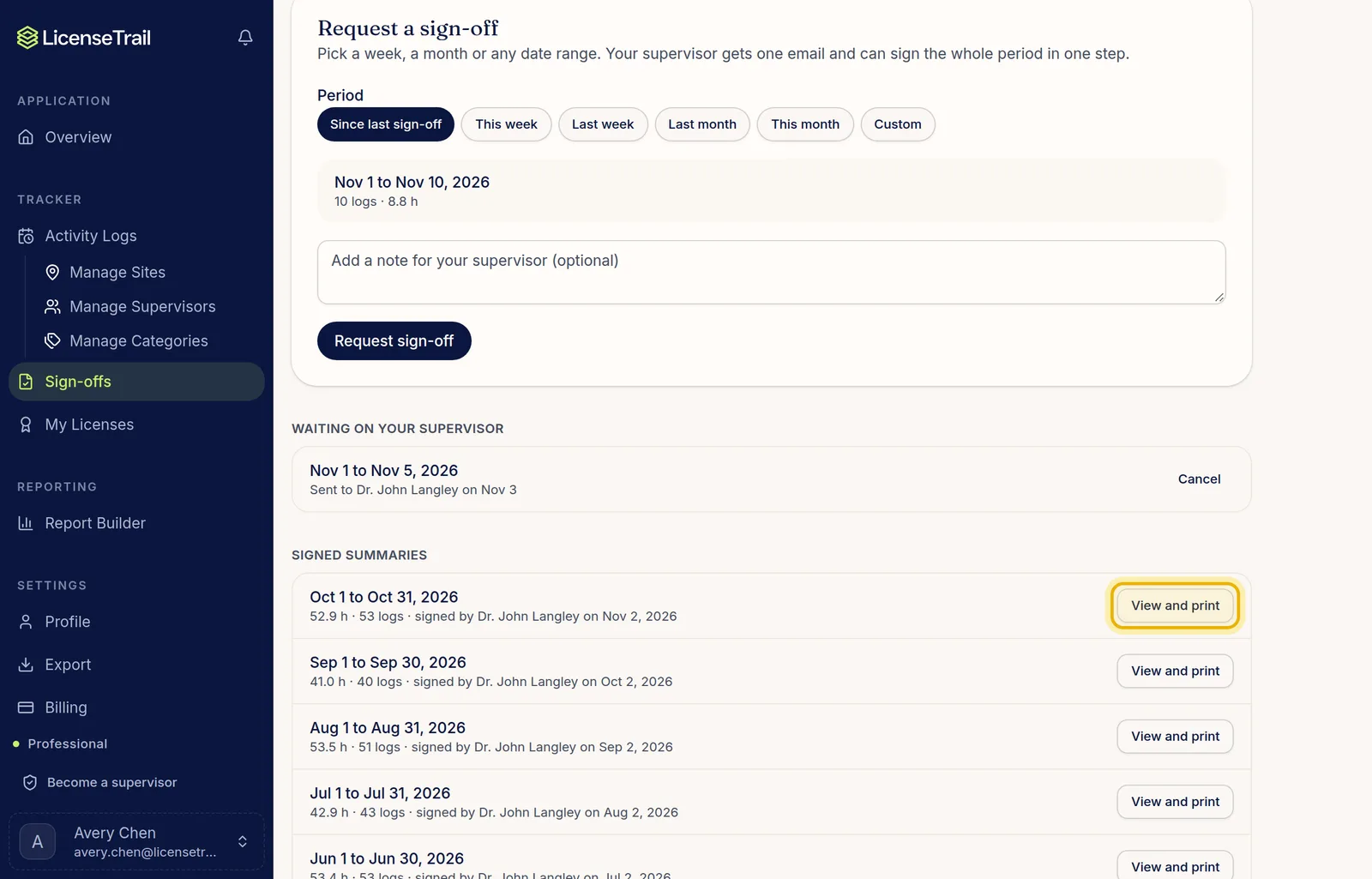
When your supervisor signs, you get an email and a notification. Each signed period is listed under Signed summaries. Click View and print for a copy to keep or send to your board.
Good to know
- Signed logs show a check mark on Activity Logs.
- Requests your supervisor hasn't answered yet are listed under Waiting on your supervisor, where you can cancel them.
- You'll see a warning before you edit or delete a signed log.